Drawing the sky
How my weather widget works.
This site has a lot of easter eggs and this one is my favorite.
When you hover over Annapolis in the footer, it reveals a dynamic weather widget. I like it because it gives a little nod to where I’m writing and working from and lets me play with shaders and real-time data. It’s the closest representation to what I’m literally looking at outside my window at any time.
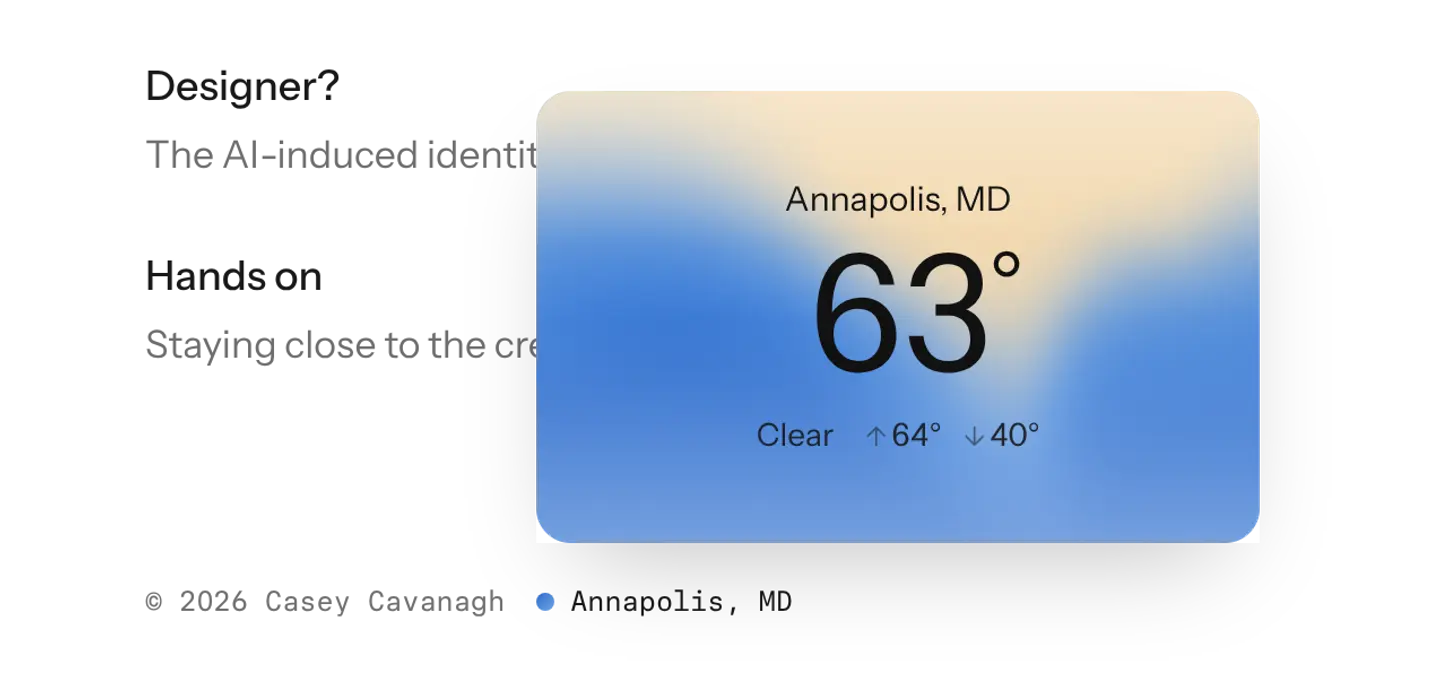
Here’s how it all came together:
The data source
Every site visit grabs data from Open-Meteo for the weather in Annapolis right now. It pulls temperature, what the sky is doing, the highs and lows, and today’s sunrise/sunset. Claude chose it as the source and I love it. It’s accurate and best of all, it doesn’t require an API, account, or key.
The sky
The weather and the clock choose from a set of fourteen options: clear, cloudy, rain, snow, fog and storm with day/night variants and dawn/dusk for the 50ish minutes around sunrise and sunset.
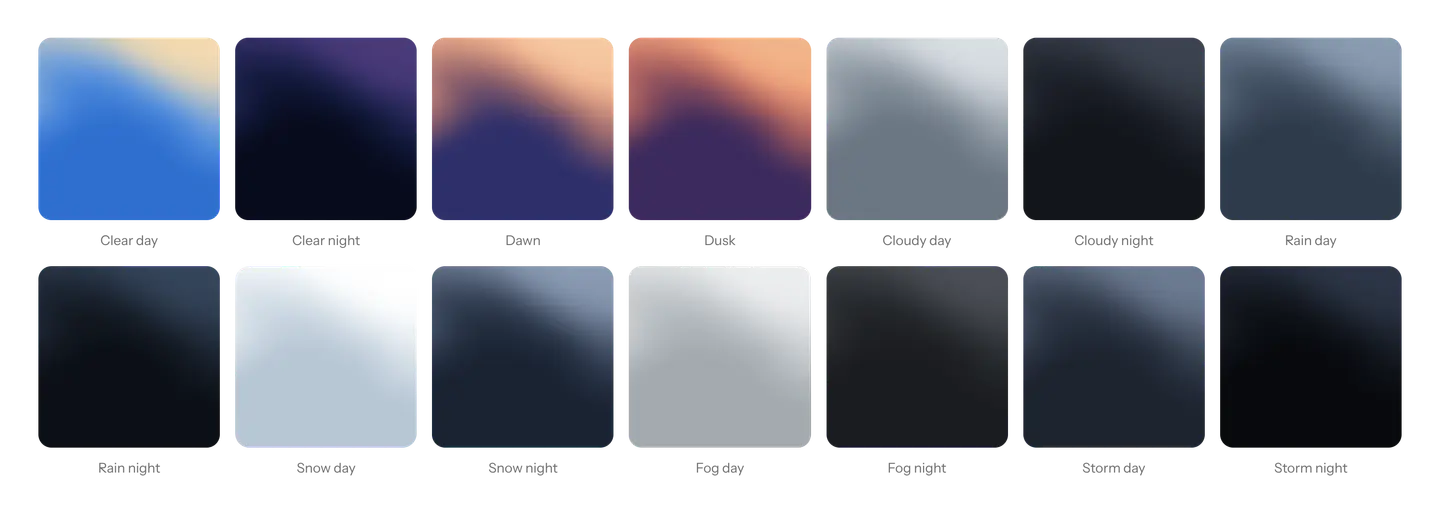
The shader
WebGL shaders have always been a little bit of a white whale to me. I haven’t found an opportunity to use it in a work project and it always felt like sparkles to throw in my personal projects.
But here, it really made sense because I wanted the widget to feel alive like the weather and the sky around us. I worked with Claude Code to design small WebGL shader that paints soft bands against the sky, like an aurora. It moves and bends with slow noise.
Like a lot of my micro-interactions and design details, I had Claude draw a sticker sheet and let me hone and refine the one(s) I liked. For these dynamic ones, I always make sure it gives me granular control for everything: motion, grain, speed, etc. After fine-tuning, I had the sticker sheet provide exact specs back to Claude to implement.
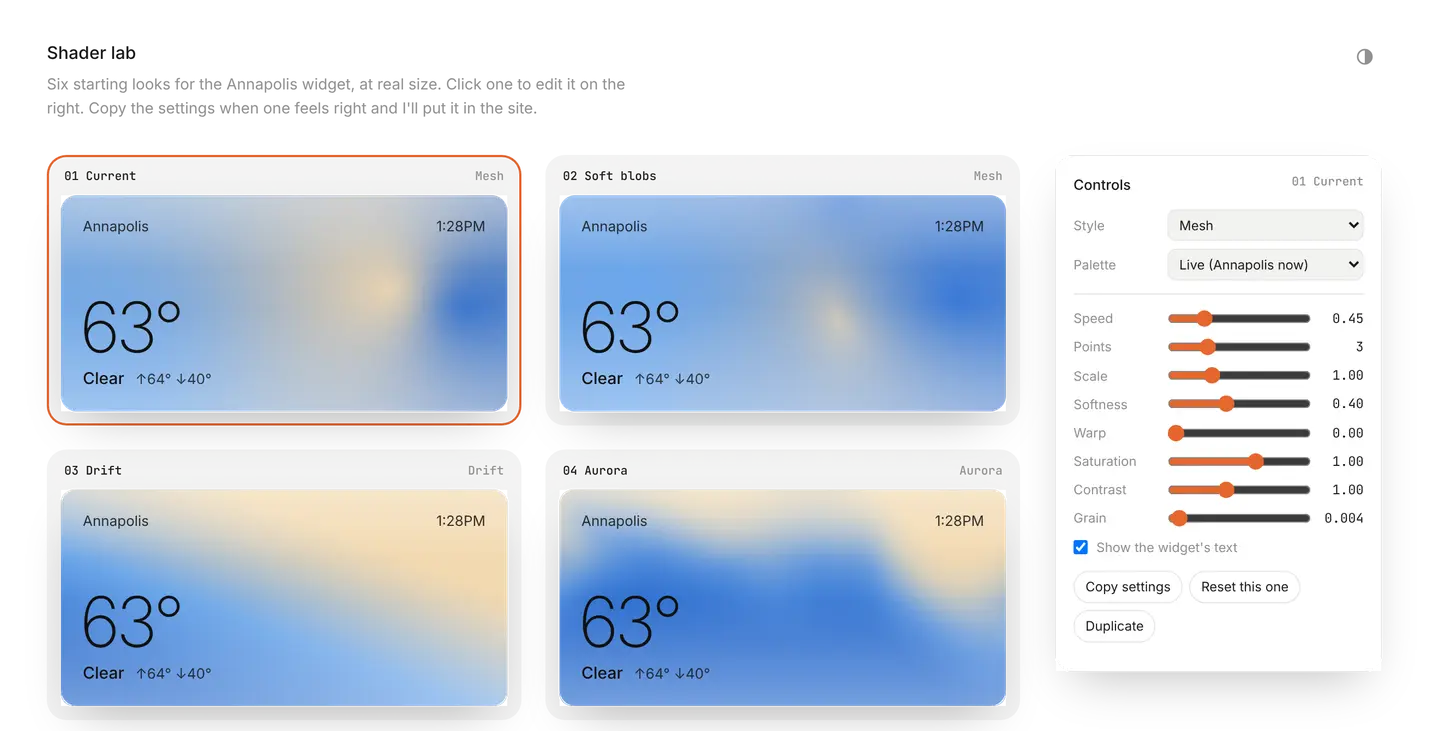
The details
The little circle in the footer next to Annapolis, MD matches the current color. So it works like a dynamic status icon.

As you mouse over the widget, the bands move and swirl toward you. Mousing away settles them as you leave.
As the sky changes, the colors ease over a split second so it isn’t jumpy.
The text on the widget switches between dark and light color depending on the background so it’s always accessible and legible, no matter condition or time of day.
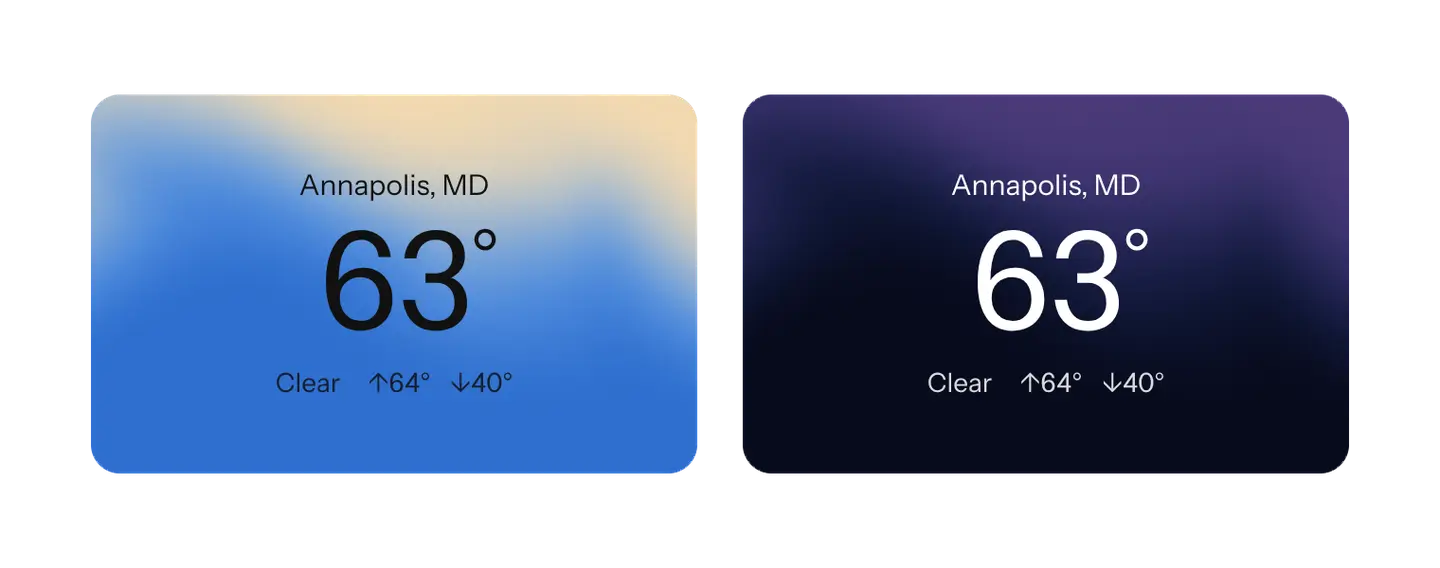
Finally, with reduced motion on, it stays still and appears like a plain gradient.
I had fun nerding out about this and it gets me excited about things do build in the future.
Hover over Annapolis, MD in the footer and check it out for yourself. Click on it and you can pull your location or any other place in the world.
Proof of human: Human Written, according to Pangram 4.1.